Author: TranscriptScribe

  • How Much Does Transcription Cost in 2026? Per-Minute and Per-Hour Rates Compared

    How Much Does Transcription Cost in 2026? Per-Minute and Per-Hour Rates Compared

    Short answer: At the human transcription services we checked in October 2026, published prices run from about $0.79 to $2.69 per audio minute. That is roughly $47 to $161 per audio hour. Where you land depends on turnaround, the number of speakers, and whether speaker labels, timestamps and verbatim cost extra. At TranscriptScribe, a 60-minute recording costs $75 (5-day), $105 (2-day) or $150 (24-hour), and speaker names and timestamps are included.

    The headline rate on a pricing page rarely tells you what you will actually pay. One service charges extra for timestamps. Another charges more once a third person speaks. A third quotes a low “from” price for a tier that doesn’t guarantee accuracy. This guide puts the published numbers side by side and converts them into the cost of two real jobs: a one-hour interview and a 90-minute focus group.

    How transcription is priced

    Almost every service charges per minute of audio, not per word or per page. A 30-minute recording costs the same whether the speakers talk fast or slow. (Legal transcripts formatted for court are the main exception. They are often priced per page.)

    Six things move the price:

    • Turnaround. Faster delivery costs more. At TranscriptScribe, for example, 24-hour turnaround costs twice the 5-day rate.
    • Number of speakers. Some services charge a higher rate for focus groups or recordings with three or more people.
    • Speaker labels and timestamps. Some include them. Others sell them as add-ons.
    • Verbatim style. Clean verbatim (fillers and false starts removed) is the usual default. Full verbatim, which keeps every “um” and repetition, is sometimes extra.
    • Audio quality. Heavy noise, strong accents or crosstalk can trigger a surcharge or a longer deadline.
    • Language and formatting. Non-English audio, translation and legal formatting are usually priced separately.

    Two smaller details matter too. Most services round partial minutes up, and many have a minimum order.

    Published rates compared (checked October 2026)

    These figures come from each company’s public pricing page, read on October 9, 2026. Prices change, so check the provider’s page before you order. Where an add-on price isn’t published, we say so rather than guess.

    ServicePublished rateTurnaroundSpeaker labels and timestampsVerbatim
    TranscribeMe (Human Edited)From $0.79/min1 business day; 2–3 days with timestamps and speaker IDsAvailable as optionsFillers removed by default; verbatim is a separate tier
    GoTranscriptFrom $1.02/min (starting price)From standard (e.g. 5 days) to rush (6–12 hours)Speaker labels; timestamps optionalClean or full verbatim
    Speechpad$1.30/min (24 hours); $1.80/min (6–12 hours)24 hours or 6–12 hoursTimestamps +$0.25/minVerbatim +$0.35/min
    Rev (human transcription)$1.99/min12 hours or lessTimestamp option availableVerbatim add-on available
    Landmark Associates$1.99/min (one-on-one interviews); $2.69/min (3+ speakers)3–5 business daysSpeaker identification and timestamps are add-onsVerbatim for focus groups
    TranscriptScribe$1.25/min (5-day); $1.75/min (2-day); $2.50/min (24-hour)5 days, 2 days or 24 hoursSpeaker names and timestamps includedClean, intelligent or full verbatim, same price

    A few notes on reading this table:

    • “From” prices are floors. TranscribeMe says its base Human Edited tier is expected to be 95 to 98 percent accurate and that this is not guaranteed. Its 99 percent guarantee applies when you add Extra Review or Verbatim, which cost more.
    • Rev is fast. Its $1.99 rate includes delivery in 12 hours or less, so compare it with other services’ rush rates, not their standard ones.
    • Landmark specializes in research. Its rates include HIPAA-compliant handling and de-identification, which matters if you need them.

    What a 60-minute interview costs

    Here are the same prices applied to one hour of audio with two or three speakers. “Base” means the published rate with no add-ons.

    Service60-minute costWhat’s not included in that number
    TranscribeMeFrom $47.40Speaker IDs, timestamps and the 99% guarantee cost extra (priced at checkout)
    GoTranscriptFrom $61.20Final price depends on the options you choose
    Speechpad (24-hour)$78.00 base; $93.00 with timestamps; $114.00 with timestamps and verbatim—
    Rev$119.40Timestamp, rush and verbatim options
    Landmark (one-on-one)$119.40Speaker identification and timestamps
    TranscriptScribe$75 (5-day), $105 (2-day), $150 (24-hour)Nothing: names, timestamps and verbatim style are included

    What a 90-minute focus group costs

    Group recordings are where pricing differences grow. More speakers means more chances for a service to charge a higher rate or add speaker-labelling fees.

    Service90-minute cost
    Speechpad (24-hour)$117.00 base; $139.50 with timestamps
    Rev$179.10, before options
    Landmark (3+ speakers)$242.10, before speaker identification and timestamps
    TranscriptScribe$112.50 (5-day), $157.50 (2-day), $225.00 (24-hour), all included

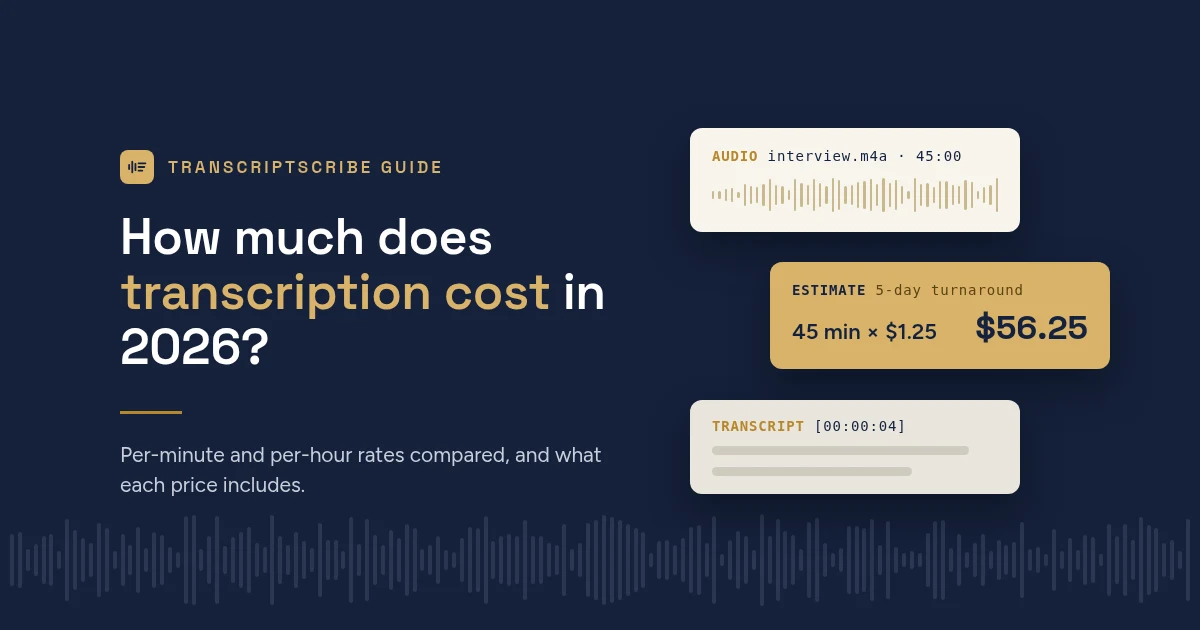
    The math is simple: minutes × rate. A 90-minute recording at $1.25 a minute is $112.50. At TranscriptScribe the price is the same whether three or eight people are talking, and every speaker is named from the list you give us.

    Hidden costs to watch for

    Before you compare totals, look for these on any pricing page:

    • Group or speaker surcharges. A higher per-minute rate once a third person speaks.
    • Per-minute add-ons. Timestamps, speaker labels and verbatim each priced separately.
    • Difficult-audio fees. Speechpad, for example, says that in extreme cases it may charge an extra $1.00 per audio minute for audio that doesn’t meet its requirements, and offers a refund if you’d rather cancel.
    • Minimums. Check whether a minimum applies per file or per order.
    • Corrections. Ask whether fixes are free, and for how long. We correct errors at no charge if you tell us within 7 days of delivery.

    Human transcription vs AI-only: what you really pay

    AI-only transcription costs a small fraction of human rates, and it is often bundled into a monthly subscription or a meeting tool you already use. For notes from a call you attended, that is usually the right choice.

    The cost that doesn’t show up on the invoice is your time. An AI draft is only trustworthy once someone has checked it against the recording, and the errors that matter most read smoothly: a wrong name, “can” instead of “can’t”, or a quote assigned to the wrong person. Checking properly means listening to the whole recording again, so budget at least the length of the audio, and usually more, for review.

    That is why TranscriptScribe uses both: software writes a fast first draft, then a person reviews every word, speaker and term against the audio, and a second check approves it before it is released. You can read more in how it works, or see our guide to AI vs human-checked transcripts.

    How to estimate your own budget

    1. Add up your total audio minutes. Round each file up to the next whole minute, because most services do.
    2. Pick a turnaround. If your deadline allows it, standard turnaround is usually the cheapest.
    3. Multiply by the per-minute rate. For per-hour figures, multiply the per-minute rate by 60: $1.25 a minute is $75 an hour.
    4. Add the add-ons you need. Timestamps, speaker labels, verbatim and group rates add up. At Speechpad, for example, timestamps and verbatim together add $0.60 a minute to the $1.30 base rate.
    5. Check the minimum order. Ours is $10.00, which only affects very short files.

    Writing a grant budget or a project quote? Per-audio-hour figures are easiest to work with. Ten hours of interviews at our 5-day rate is $750.

    Five ways to spend less without losing accuracy

    • Order early. Choosing 5-day instead of 24-hour turnaround cuts our price by half.
    • Trim what you don’t need. Cut long silences, set-up chatter and off-topic sections before you upload. You pay for every minute you send.
    • Record well. Clear audio is faster to check and has fewer gaps. Our guide to recording audio that transcribes accurately covers the basics.
    • Send a names and terms list. Spelling out participant names, places and jargon up front prevents the most common errors.
    • Compare totals, not headline rates. A low “from” price plus timestamps, speaker labels and a group surcharge can cost more than an all-in rate.

    Frequently asked questions

    How much does it cost to transcribe one hour of audio?

    At the services we checked in October 2026, between about $47 and $161 for human transcription, before add-ons. At TranscriptScribe it is $75 (5-day), $105 (2-day) or $150 (24-hour), human-reviewed, with speaker names and timestamps included.

    Why is transcription priced per audio minute?

    Because the work scales with the length of the recording, not the number of words. Listening, checking speakers and verifying terms all take time for every minute of audio.

    Do more speakers cost more?

    At some services, yes. Landmark Associates, for example, charges $2.69 a minute for three or more speakers versus $1.99 for one-on-one interviews. TranscriptScribe charges the same rate however many people are speaking.

    Is cheaper transcription less accurate?

    Not always, but check what is guaranteed. Some low “from” prices apply to tiers with no accuracy guarantee, or leave out speaker labels and timestamps. Compare the total for the deliverable you actually need.

    Get a price for your recording

    Our rates are on the pricing page: $1.25, $1.75 or $2.50 per audio minute depending on turnaround, with every transcript checked by a person. When you upload a file, you see the exact price before you pay. Questions first? Email support@transcriptscribe.com.

    Competitor prices were taken from each company’s public pricing page on October 9, 2026, and may have changed since.
  • How to record audio that transcribes accurately

    How to record audio that transcribes accurately

    The biggest factor in transcript accuracy isn’t the software or the reviewer. It’s the recording. A clear recording comes back clean. A muddy one leaves gaps that no one can fill, however carefully they listen.

    The good news is that most problems are easy to avoid. Here is what makes the difference.

    1. Get the microphone close

    Distance matters more than the price of the microphone. A phone placed in the middle of a table picks up the room: echo, air conditioning, cups on saucers. The same phone held a foot from a speaker picks up the voice.

    For interviews, put the recorder between you and the other person, closer to them. For meetings, use one microphone per two or three people if you can, or a conference speakerphone designed to pick up a whole table.

    2. Choose a quiet room

    Soft rooms sound better than hard ones. Carpet, curtains and furniture soak up echo. Glass meeting rooms and empty offices bounce sound around. Close the door, switch off fans where you can, and avoid cafés for anything that matters.

    3. Record a short test first

    Record ten seconds, then play it back on headphones. If you can’t follow every word easily, neither can anyone else. It takes a moment and it catches the most common mistakes: a muted mic, the wrong input, or a recorder that’s too far away.

    4. Ask people not to talk over each other

    Crosstalk is the hardest thing to transcribe. When two people speak at once, both voices become harder to make out, and it’s harder to tell who said what. A short reminder at the start of a meeting (“one at a time, please”) helps more than any equipment.

    5. Name the speakers at the start

    Ask everyone to say their name and role near the beginning. It helps the reviewer match voices to names, so your transcript says “Dr. Patel” instead of “Speaker B”. You can also list the speakers’ names when you order.

    6. Write down the hard words

    Names, company terms, product names, acronyms and technical vocabulary are where transcripts most often go wrong. When you order from TranscriptScribe, you can list these terms. We use your list to guide the speech recognition and as a checklist for the reviewer, who checks every term against the audio.

    7. Use a sensible file format

    Most formats work. MP3 or M4A at a normal quality setting is fine for speech. WAV is larger but loses nothing. Video files such as MP4 or MOV work too; you don’t need to extract the audio first. TranscriptScribe accepts files up to 2 GB and 6 hours long.

    8. For phone and video calls, record locally if you can

    Call audio is compressed and drops out when the connection is poor. If your calling software can record each person’s audio on their own device, use that option. If not, ask everyone to use headphones, which stops the echo of one person’s voice coming back through another’s microphone.

    What if the recording is already made?

    Send it anyway. Our reviewers listen closely to every passage the software was unsure of. Where a word truly can’t be made out, the reviewer marks it [inaudible] rather than guessing, so you always know which parts to double-check.

    Ready to order? Order a transcript or read how it works.

  • SRT vs VTT: which caption file do you need?

    SRT vs VTT: which caption file do you need?

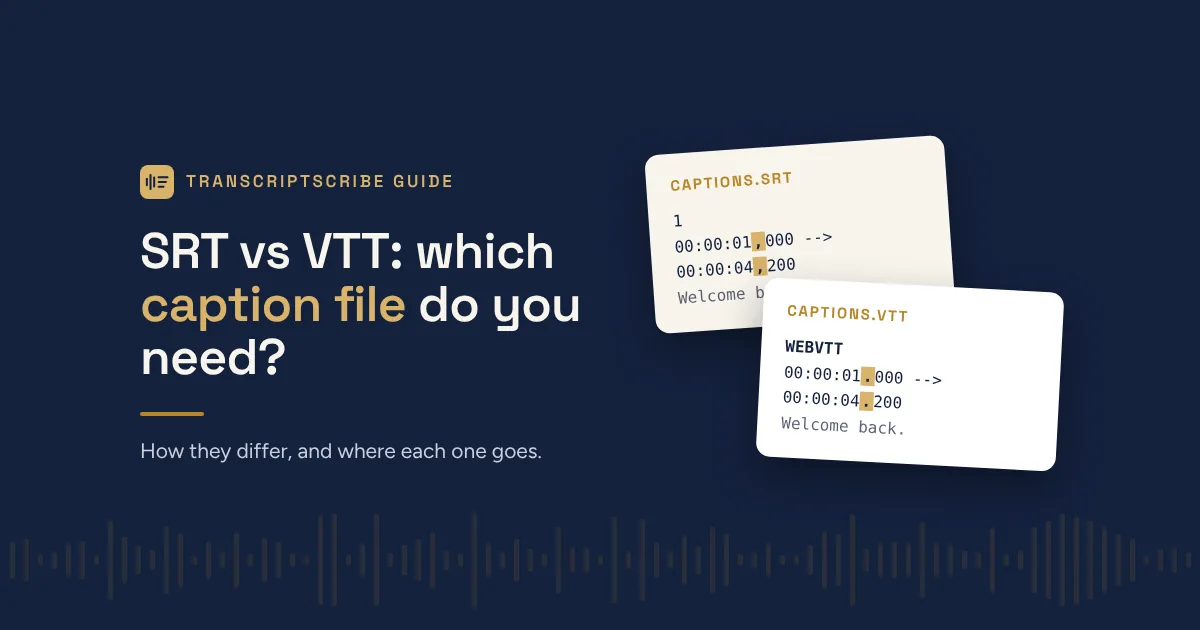
    Short answer: use SRT for YouTube, social media and video editing software, and VTT for video on your own website. If you’re not sure, try SRT first. It’s the most widely accepted format.

    Both are plain text files that tell a video player what text to show and when. They differ in a few small but important ways.

    What an SRT file looks like

    SRT (SubRip Subtitle) is the older, simpler format. Each caption has a number, a start and end time, and the text:

    1
    00:00:01,000 --> 00:00:04,200
    Welcome back to the show.
    
    2
    00:00:04,600 --> 00:00:07,900
    Today we're talking about contracts.

    Note the comma before the milliseconds. That’s an SRT convention.

    What a VTT file looks like

    VTT (WebVTT) was designed for web video. It starts with a WEBVTT header, uses a period before the milliseconds, and the caption numbers are optional:

    WEBVTT
    
    00:00:01.000 --> 00:00:04.200
    Welcome back to the show.
    
    00:00:04.600 --> 00:00:07.900
    Today we're talking about contracts.

    VTT can also carry extras that SRT can’t, such as caption position on screen, basic styling and speaker tags.

    Which one to use

    Where the video goesUse
    YouTubeSRT or VTT (both accepted)
    VimeoSRT or VTT (both accepted)
    Facebook, LinkedInSRT
    Premiere Pro, Final Cut Pro, DaVinci ResolveSRT
    Your own website (HTML5 video player)VTT
    Course platforms and video hostsCheck their help page; most take both

    Captions vs a transcript

    Caption files are built for watching. Each line is short and timed to appear on screen. A transcript is built for reading, quoting and filing. It has full paragraphs, speaker names and timestamps at each turn.

    Many people need both: captions for the video, and a Word or PDF transcript for the record, for show notes, or to make the content searchable.

    You don’t have to choose

    Every TranscriptScribe order includes SRT and VTT caption files, plus Word, PDF and plain text transcripts, at no extra cost. Because a person reviews the transcript before the captions are made, names and terms are spelled correctly on screen too.

    Need captions? Order a transcript or see what’s included in every order.

  • AI transcripts vs human-checked transcripts

    AI transcripts vs human-checked transcripts

    Automatic transcription has become remarkably good. For a quick record of a meeting you attended, it’s often all you need. But “good” and “right” are different things, and for some work the difference matters a great deal.

    Here’s how to decide which you need.

    Where AI transcription goes wrong

    Speech recognition makes the same kinds of mistakes again and again:

    • Names and terms. A client’s surname, a drug name, a case citation or a product code is often turned into a common word that sounds similar.
    • Who said what. Software labels voices “Speaker A” and “Speaker B”. It can split one person into two, merge two similar voices, or switch labels mid-sentence.
    • Crosstalk and quiet speakers. When people overlap or someone is far from the mic, words are dropped or invented.
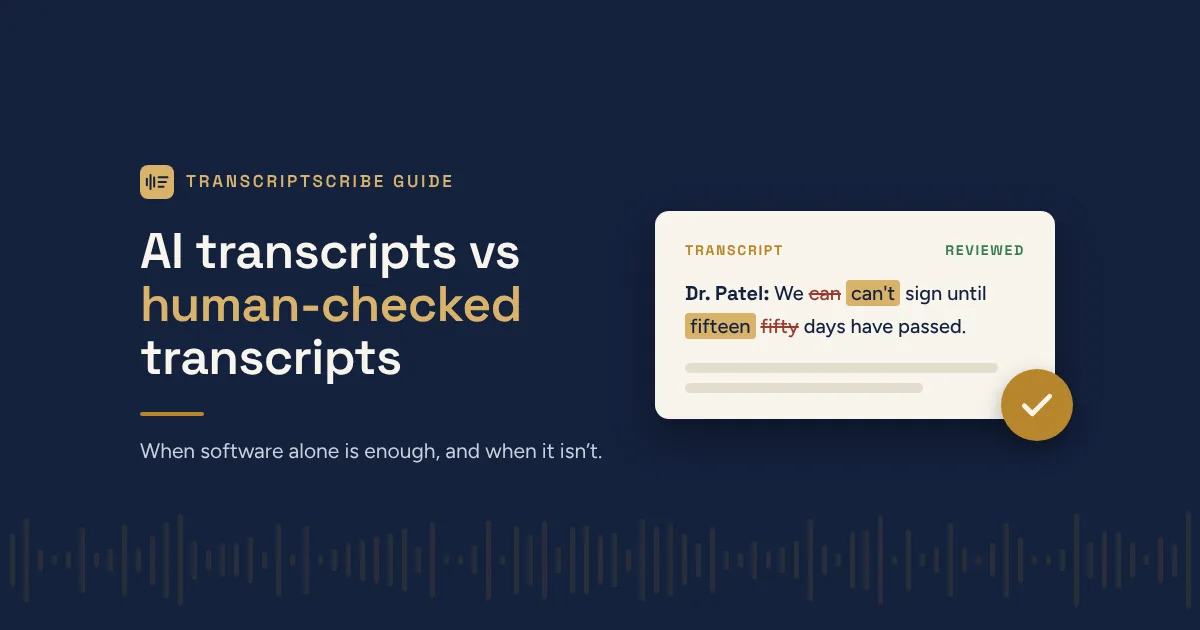
    • Plausible errors. This is the real risk. An AI mistake usually reads smoothly. “Can’t” becomes “can”, “fifteen” becomes “fifty”, and nothing on the page tells you it happened.

    The last point is why spot-checking an AI transcript is harder than it sounds. To be sure it’s right, you have to listen to the whole recording again.

    When AI alone is enough

    • Notes from a meeting you attended yourself
    • Searching a long recording for a topic
    • A rough first draft you’ll rewrite anyway
    • Anything where a few wrong words cost nothing

    When you want a person to check it

    • Legal and compliance: interviews, hearings and recorded calls that may be quoted or relied on
    • Research: interview data you’ll code and cite, where every speaker must be identified correctly
    • Publishing: quotes in an article, show notes, captions on a public video
    • Business records: board minutes and earnings calls you need to stand behind

    A useful test: if someone could rely on a quote from this transcript, or if an error could embarrass you, have it checked.

    What a human review actually involves

    At TranscriptScribe, software produces the first draft with a confidence score for every word. A reviewer then opens the draft beside the audio. Words the software was unsure of are highlighted, so the reviewer listens closely there. They:

    • correct misheard words and punctuation
    • replace “Speaker A” and “Speaker B” with real names or roles
    • check every name and term you listed against the audio
    • fix where one speaker’s turn ends and the next begins

    A second check then approves the transcript before it is released. You get the speed of software and the judgment of a person, without re-checking it yourself.

    Need a transcript you can rely on? Order a transcript or read how it works.

  • How to get research interviews transcribed

    How to get research interviews transcribed

    If you’re running qualitative interviews or focus groups, the transcript is your data. Errors in it become errors in your analysis. A little preparation before you send recordings out saves hours of checking later.

    Before you record

    • Check your consent form. Make sure participants have agreed to their recording being transcribed by a third-party service. Many ethics boards ask for this to be stated explicitly.
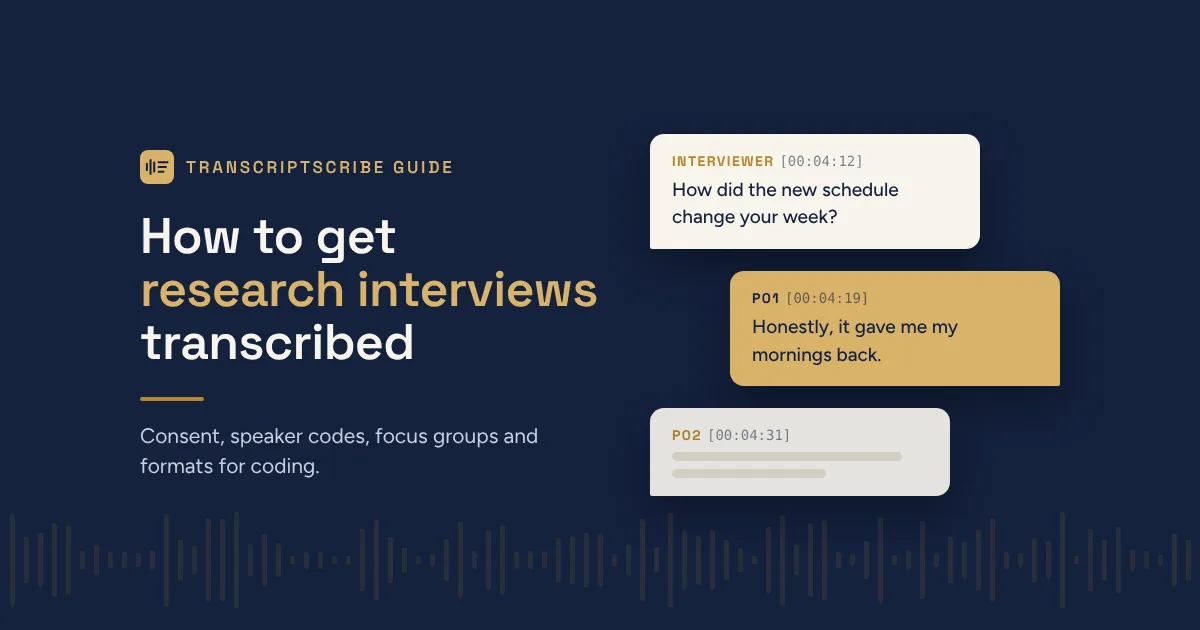
    • Decide how participants will be named. Most studies use codes or pseudonyms (P01, P02, or “Participant A”). Decide now, so every transcript is consistent.
    • Record well. A recorder close to the participant in a quiet room makes the biggest difference. See our guide to recording audio that transcribes accurately.

    Focus groups need extra care

    Focus groups are the hardest recordings to transcribe, because people interrupt and talk over each other. Three things help:

    1. Ask each person to say their participant code before speaking for the first few rounds.
    2. Seat people so the recorder is roughly the same distance from everyone.
    3. Keep a seating plan and note it alongside the recording.

    When you order

    Use the terms list to tell the reviewer what matters for your study:

    • the participant codes or pseudonyms to use for each speaker
    • the interviewer’s name or role (for example, “Interviewer”)
    • specialist vocabulary, place names and organization names that will come up

    The reviewer replaces the software’s “Speaker A” and “Speaker B” labels with the names you give, and checks every term on your list against the audio.

    We also offer full verbatim transcription, which keeps “um”, false starts, repeated words and pauses. Many qualitative methods call for it. If yours does, say so in the terms list when you order.

    Formats for analysis

    • Word (.docx) imports into NVivo, ATLAS.ti and MAXQDA, with speaker names at each turn.
    • Plain text works with almost any analysis tool and scripting language.
    • Timestamps at each turn let you jump back to the audio when a passage needs a second listen.

    Protecting participants

    Recordings are stored privately and are seen only by the reviewer working on the order. Even so, avoid saying participants’ full names on tape where you can. If your ethics approval requires removing identifying details, do it on the transcript after delivery, so the original stays an accurate record. Our privacy policy explains how files are handled and how long they are kept.

    Budgeting

    You pay per minute of audio, and the price is shown before you pay. For a grant budget, multiply the total interview minutes by the per-minute rate on our pricing page, and choose the slowest turnaround that fits your timeline: it costs the least.

    Ready to send your interviews? Order a transcript or read how it works.